F606B Borescope Support: Manual, Firmware & Troubleshooting

F606B 4-Way Articulating Borescope: What You Own
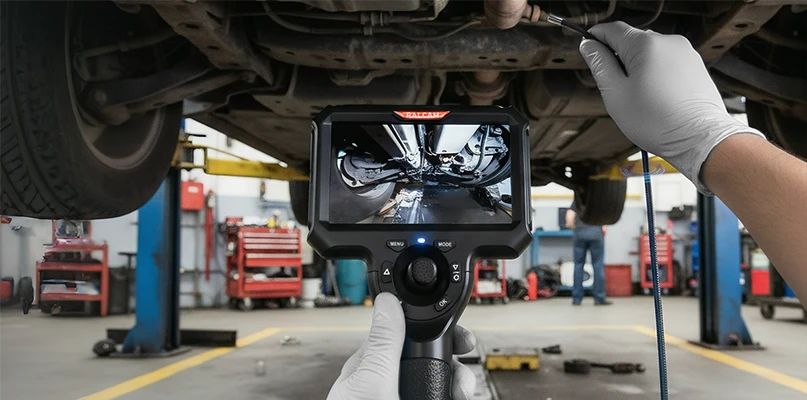
The F606B borescope is a high-performance tool designed for precise engine inspections. With a 4.3-inch screen and 1280x720 HD resolution, this versatile device supports up to 6 hours of operation. The flexible 4-way articulation and full 360° lens rotation allow for comprehensive engine and machinery inspections. Waterproof, oilproof, and high-temperature resistant, the F6B is perfect for professionals who require reliable and efficient diagnostic tools.

F606B User Manual & Setup Guide (PDF)
Download the F604B / F606B user manual for wiring, screen controls, articulation handling, recording and maintenance instructions.

RA430H Firmware Update for F604B & F606B
Download the RA430H host firmware together with the flashing instructions for the F6B handset.
How to Update the RA430H Firmware, Step by Step
Download the RA430H firmware package from the section above, then follow these steps. You need the borescope's TF (microSD) card and a computer that can unzip the package.
- Unzip the downloaded firmware package and copy the 5 files it contains (RA430_26.bfu and the others) to the root directory of the TF (microSD) card.
- Insert the TF card into the F606B and power it on. The device enters firmware upgrade mode automatically and the screen shows “Firmware upgrading, do not power off”.
- Wait while it runs. The upgrade takes anywhere from a few tens of seconds to a few minutes. When it finishes, the screen shows “Upgrade successful” and the device powers off by itself.
- Press the power button to start the borescope again. It is ready for normal use.
Do not power the device off or pull the TF card out while the upgrade is running.
F6B Troubleshooting: 4-Way Articulation Stuck
The articulation tip is stuck or will not steer
Straighten the insertion tube first, then try to steer again.
If the tip still will not turn, lift the tube, hold it just below the bending section, and shake it gently a few times. Then try to steer again.
If the tip still does not respond after that, contact Ralcam after-sales support for help.
Do not force the articulation control while the tip is unresponsive.